Sec2. OS-Structure
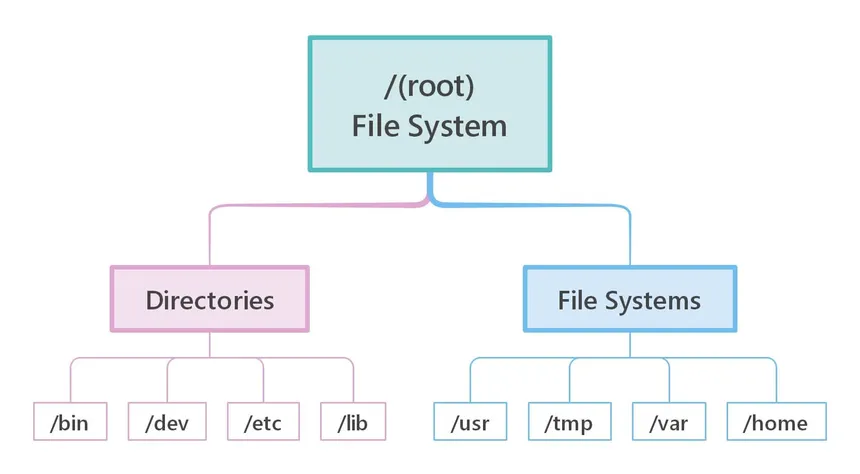
In Windows OS, the root directory is identified as driveLetter: or C drive:
| Directory | Function |
|---|---|
| Perflogs | Can hold Windows performance logs but is empty by default. |
| Program Files | On 32-bit systems, all 16-bit and 32-bit programs are installed here. On 64-bit systems, only 64-bit programs are installed here. |
| Program Files (x86) | 32-bit and 16-bit programs are installed here on 64-bit editions of Windows. |
| ProgramData | This is a hidden folder that contains data that is essential for certain installed programs to run. This data is accessible by the program no matter what user is running it. |
| Users | This folder contains user profiles for each user that logs onto the system and contains the two folders Public and Default. |
| Default | This is the default user profile template for all created users. Whenever a new user is added to the system, their profile is based on the Default profile. |
| Public | This folder is intended for computer users to share files and is accessible to all users by default. This folder is shared over the network by default but requires a valid network account to access. |
| AppData | Per user application data and settings are stored in a hidden user subfolder (i.e., cliff.moore\AppData). Each of these folders contains three subfolders. The Roaming folder contains machine-independent data that should follow the user's profile, such as custom dictionaries. The Local folder is specific to the computer itself and is never synchronized across the network. LocalLow is similar to the Local folder, but it has a lower data integrity level. Therefore it can be used, for example, by a web browser set to protected or safe mode. |
| Windows | The majority of the files required for the Windows operating system are contained here. |
| System, System32, SysWOW64 | Contains all DLLs required for the core features of Windows and the Windows API. The operating system searches these folders any time a program asks to load a DLL without specifying an absolute path. |
| WinSxS | The Windows Component Store contains a copy of all Windows components, updates, and service packs. |
Exploring Directories Using Command Line:
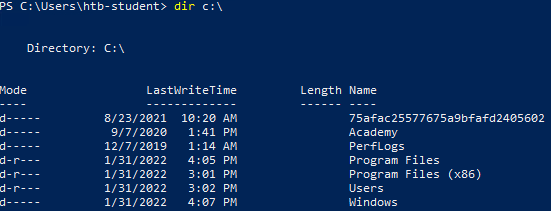
- Using the
dircommand -->dir c:\
- Using the
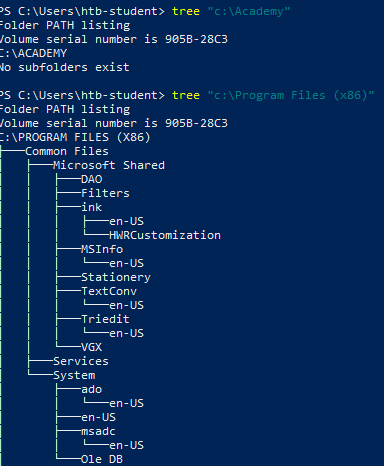
treecommand + PATH