Web Services
Another crucial element in web development is the communication between browsers and web servers. (It supports both static and dynamic web content)
We can set up web services through:
- Apache (most popular)
- Nginx
- IIS
We can also think of Apache like the foundation and framework of a house. Just as you can add different rooms or customize features in a house, Apache can be extended with modules, each designed for a specific purpose, whether it's securing communication, rerouting traffic, or dynamically shaping content like an interior designer rearranging rooms to fit your needs.
Apache module examples:
mod_sslacts like a lockbox, securing the communication between the browser and the web server by encrypting the data.mod_proxymodule is like a traffic controller, directing requests to the correct destination, especially useful when setting up proxy servers.mod_headersandmod_rewritegive you fine control over the data traveling between browser and server, allowing you to modify HTTP headers and URLs on the fly, like adjusting the course of a stream.
Install and run Apache:
Install: sudo apt install apache -y
(flag -y confirms all the y/n requests)
start: sudo systemctl start apache2
(Apache will serve on HTTP port 80 on local host.)
Apache port configuration
To set an alternate port for our web server, we can edit the /etc/apache2/ports.conf file.
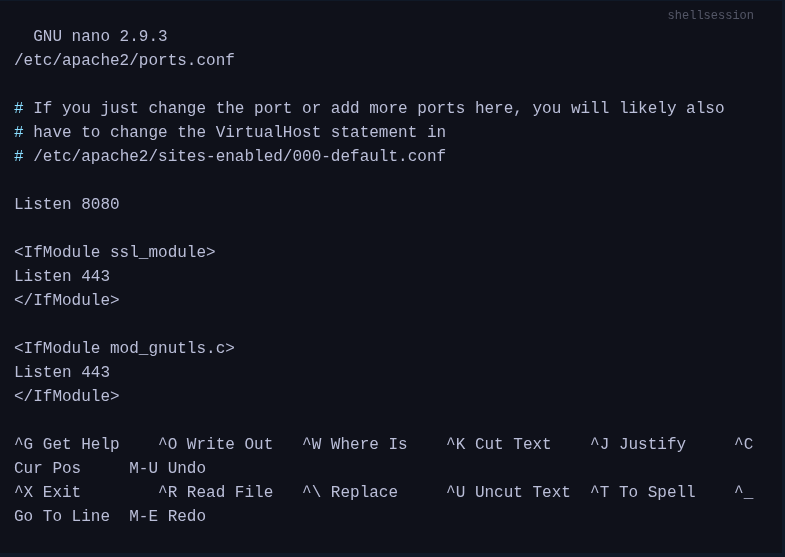
- We can now go to http://localhost:8080
- Use cURL : curl -I http://localhost:8080
Command-line tools like* curl and wget
cURL:
cURL is a tool that allows us to transfer files from the shell over protocols like HTTP, HTTPS, FTP, SFTP, FTPS, or SCP, and in general, gives us the possibility to control and test websites remotely via command line.
More specifically, curl returns the website’s page source as STDOUT. As opposed to viewing a website with a browser, which renders the HTML, CSS, and Javascript to create visual, aesthetic websites.
Wget
(The key difference is that with this the file is downloaded and stored locally)
An alternative to curl is the tool wget. With this tool, we can download files from FTP or HTTP servers directly from the terminal, and it serves as a solid download manager.
Exercises:
-
Start a simple server with Node packet manager on port 8080
Steps:- Install
http-serverdependency:sudo npm i http-server - Configure the
.jsonfile (if needed) http-server -p 8080
- Install
-
Start a simple server with PHP on localhost 127.0.0.1 on port 8080
php -S 127.0.0.1:8080