Intro BASH
#bash #ysap
The main difference between scripting and programming languages is that we don't need to compile the code to execute the scripting language, as opposed to programming languages.
Like a programming language, a scripting language has almost the same structure, which can be divided into:
Input&OutputArguments,Variables&ArraysConditional executionArithmeticLoopsComparison operatorsFunctions
In general, a script does not create a process, but it is executed by the interpreter that executes the script, in this case, the Bash.
Execute a script in bash
bash hello.sh
or
sh script.sh
# or
./hello.sh
Shell
REPL = Read, Evaluate, Print, Loop this is what BASH does.
$ echo hello
hello
Where does BASH live? Bash process lives in the binary folder
$ which bash
/usr/bin/bash
Navigation and Manipulation command
$ mkdir Bash
$ cd Bash
Create new files:
touch lesson-1.txt
touch lesson-2.txt
touch lesson-22.txt
We have a file with the typo? rename
mv lesson-22.txt lesson-3.txt
Remove all files:
rm lesson-*.txt
The * is a GLOB , called wildcard.
Find Terminal history
history
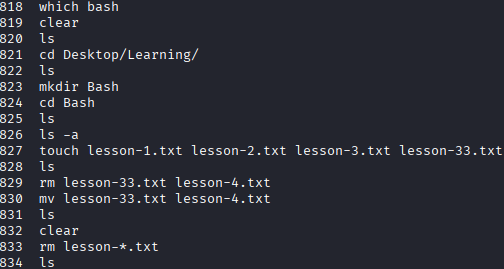
Give all the ran commands in Terminal
Make a hidden file
touch .file.txt

Completely hidden
Show all the files:
ls -a

Searching and Paging
The most used command is grep.
It is a command to search for a pattern defined in the command.
Example: Find all the words in the system's dictionary
#!/bin/bash
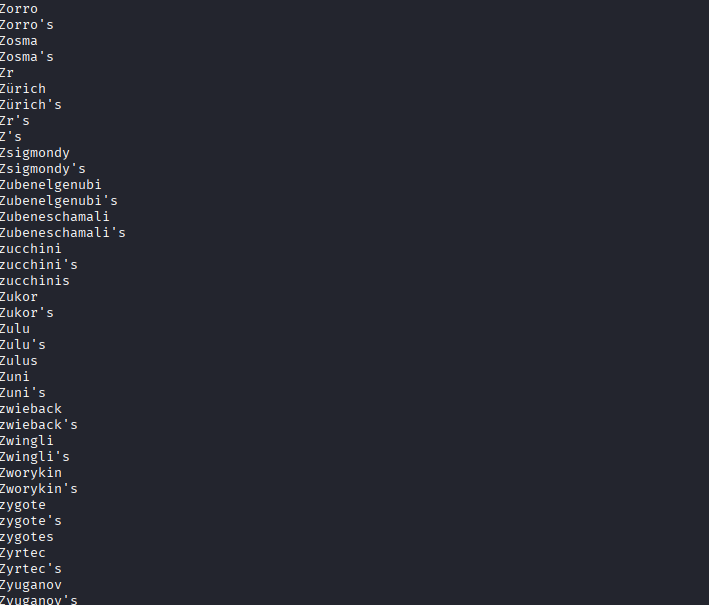
cat usr/share/dict/words
Which will give a list of words from A-Z , like this:
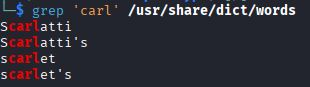
Now , to find something with carl pattern:
#!/bin/bash
grep carl usr/share/dict/words
# or
grep 'carl' usr/share/dict/words
found this:
Or use special characters like : ^ to find words that starts with that sad pattern:
#!/bin/bash
grep '^sad' /usr/share/dict/words
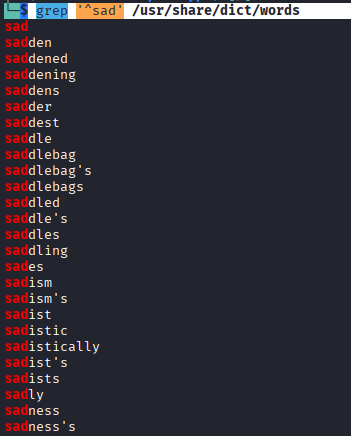
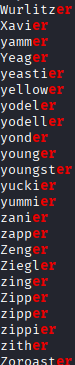
$ at the end to find words that end with that er pattern
#!/bin/bash
grep 'er
which gives:
---
###### Built-in commands vs external commands
Check the type of command:
```bash
type echo
type very useful command to check if command is built-in in shell or a binary:
┌──(kali[~]
└─$ type ls
ls is an alias for ls --color=auto
┌──(kali[~]
└─$ type cd
cd is a shell builtin
/usr/share/dict/words
which gives:

---
###### Built-in commands vs external commands
Check the type of command:
{{CODE_BLOCK_14}}
`type` very useful command to check if command is built-in in shell or a binary:
┌──(kali[~]
└─$ type ls
ls is an alias for ls --color=auto
┌──(kali[~]
└─$ type cd
cd is a shell builtin